Service scope · Availability confirmed for your address
Smart Home & Home Automation
Help setting up useful connected-home features and making devices work together.
Our cleaning coverage spans 24 Ohio communities. For this service, send the office your address and project details to confirm availability. The two county directories below show current provider listings and scheduling options.
The right scope for your home
Make connected devices useful in daily life.
Smart-home setup should support a practical goal: easier lighting control, a connected doorbell, or devices that work together. Describe what you already own and what you want to happen. The office checks the setup, mounting, connectivity, and specialist requirements before arranging help.
Device compatibility, Wi-Fi coverage, power, wiring, and account access can affect the work. Start with product models and the desired routine so the office can confirm a realistic plan before the appointment.
Company portfolio: photographs document Michigan work; AI illustrations are identified individually. Ohio scope and results are assessed for each property.
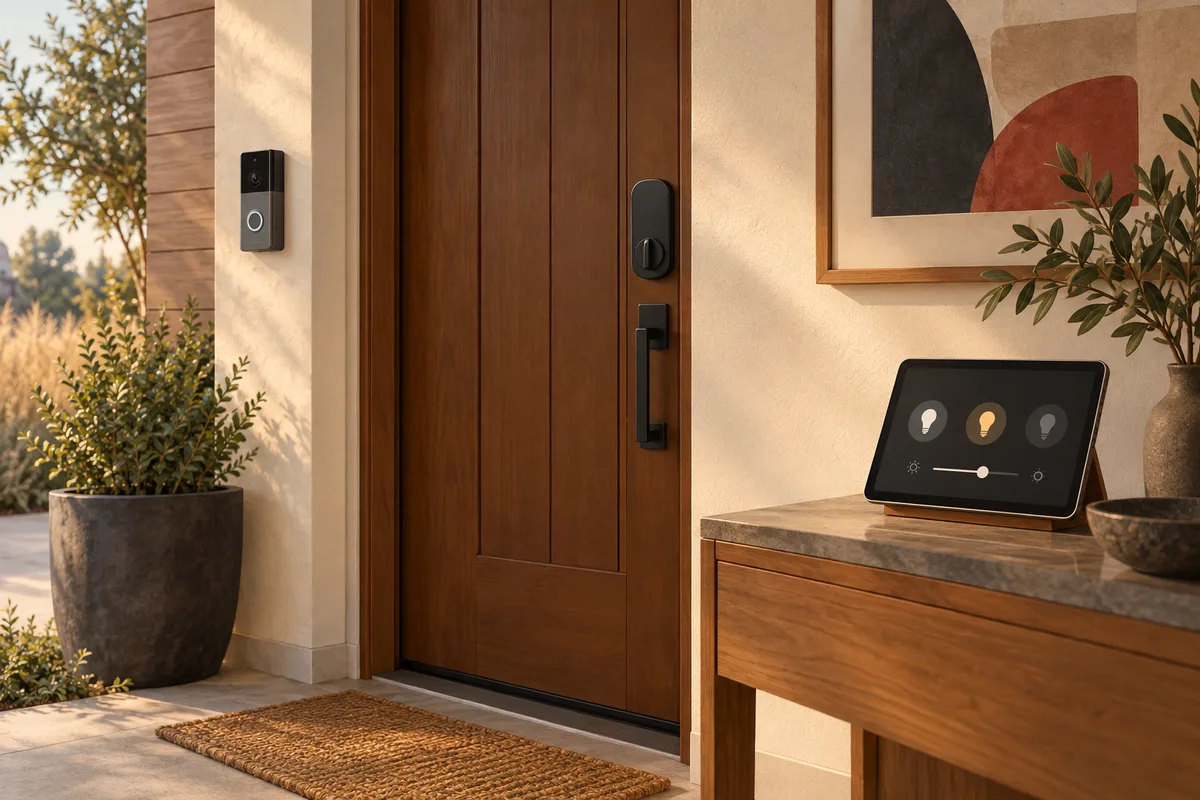 Enlarge photo
Scope of work
What we can help with
- Smart lighting and connected-device setup
- Video doorbell and camera setup
- Smart locks and compatible accessories
- Voice assistants, hubs, and everyday automations
- Device pairing, Wi-Fi connectivity, and homeowner walkthroughs
Share your devices and goals with the office. Compatibility, mounting, power, wiring, and any specialist requirements are confirmed before scheduling.
Planning the work
Start with the routine, then check the devices
Useful home automation begins with a specific goal: a light you can control easily, a doorbell you can answer, or a simple arrival routine. Share the product brands and models, existing hubs, and apps already in use. Devices that look similar can have different compatibility, power, and network requirements.
Separate device setup from work that changes wiring, mounting, or the building itself. The office reviews compatibility and any specialist requirements before scheduling. If you rent or share access to a building, confirm permission for the proposed installation and identify who owns the device accounts.
Before the visit
Plan to be available for account sign-in, permissions, and a walkthrough of the finished setup. You should enter your own passwords and verification codes; do not send them in a service inquiry. Placement, Wi-Fi coverage, and day-to-day controls are discussed alongside the physical installation.
After the work
At handover, confirm that the intended routine works and that you know how to operate the device manually. Keep product information and recovery details under your own control. Additional devices, subscriptions, network changes, and electrical work are separate scope decisions rather than automatic parts of a basic setup visit.
Your next step
Arrange the work through the office.
Send the service details and your location. The office confirms the scope, suitable provider or crew, pricing, and scheduling. A request for an estimate does not reserve an appointment.
Browse Ohio inquiry directories
These are the Ohio inquiry directories. For company cleaning coverage beyond them, browse our service areas or ask the office. Local provider profiles and calendars are added only after Ohio availability is confirmed. All cleaning service areas
Clear answers
Before you arrange service
Can you help with devices I already own?
Yes. Share the models and your goals first. The office confirms compatibility and the scope before scheduling setup or troubleshooting.
Is electrical work included in device setup?
Not automatically. Wiring, power changes, and specialist requirements must be identified and confirmed separately before work is arranged.
How is the estimate worked out?
The office reviews the size, condition, access, materials, and work you want completed. Photos help with the initial discussion; a walkthrough may be needed. Scope and pricing are agreed before work begins.
How do I arrange this work?
Contact the office with your location, the work needed, photos if available, and your preferred timing. The office confirms the scope, appropriate provider or crew, price, and schedule.
Related services
Browse all servicesHandyman Services
Book help with common household repairs and installations. Online scheduling requires the $250 minimum labor prepayment.
Explore serviceSeasonal Lighting & Outdoor Help
Prepare your property for changing seasons and celebrations.
Explore serviceHome Inventory
Build an organized record of the belongings in your home.
Explore serviceGet the app
SWAT Network in your pocket.
Request services, follow job updates, and manage your SWAT Network membership from your phone. Keep your home-service plans close at hand.
Explore https://swat.networkHow SWAT Network fits your home or business: explore home-care coordination, provider applications and house-manager opportunities.
Free to download. Service and membership charges may apply.
Prefer to call? Reach SWAT Team of Ohio at +1 888-312-1007. Membership is not required to arrange services directly with our office.
CallEmail+1 888-312-1007Call opens your device’s phone app; Email opens your email app. You can also copy the number to use on your phone.